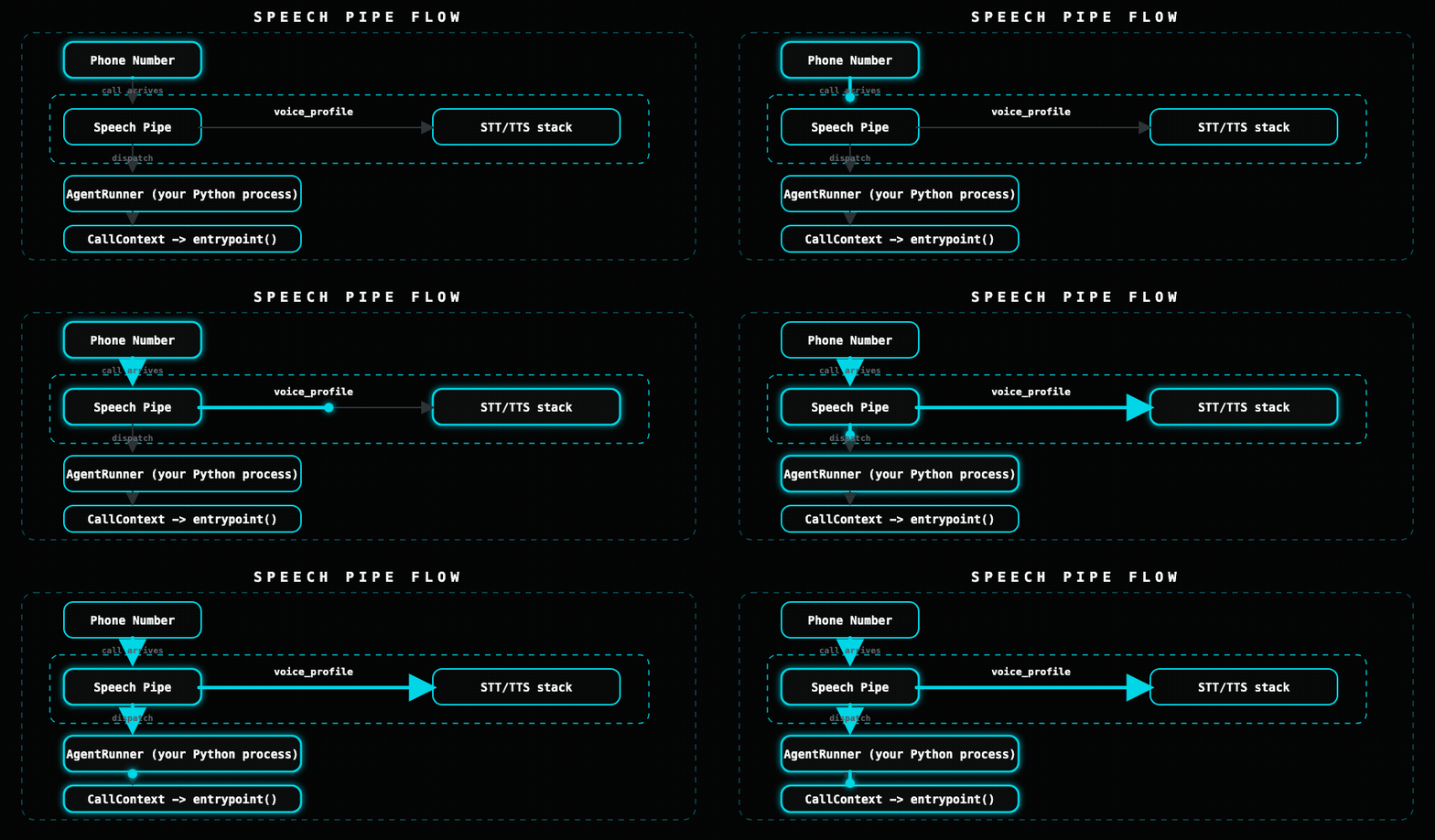
A Speech Pipe in Unpod ties together a voice profile (STT + TTS), telephony (phone numbers), and a pointer to your agent brain into a single deployable unit. When a call arrives on a number attached to the pipe, the orchestrator dispatches it to your AgentRunner process.
import asynciofrom unpod import AsyncClientasync def main(): async with AsyncClient(api_key="sk-...") as client: pipes = await client.pipes.list() for p in pipes: print(p.pipe_id, p.name, p.voice_profile_id or "no voice profile")asyncio.run(main())
Deleting a pipe does not automatically detach phone numbers. Detach all numbers before deleting to avoid orphaned routing.
import asynciofrom unpod import AsyncClientasync def main(): async with AsyncClient(api_key="sk-...") as client: # Detach numbers first numbers = await client.numbers.list() for n in numbers: if n.pipe_id == "pipe_...": await client.numbers.detach(n.id) # Then delete await client.pipes.delete("pipe_...") print("Deleted")asyncio.run(main())
If you already have a chatbot or API (in any language) and want to make it voice-enabled, point the pipe at an HTTP endpoint. Unpod calls your endpoint on every user turn, you return the reply.
import asynciofrom unpod import AsyncClientasync def main(): async with AsyncClient(api_key="sk-...") as client: pipe = await client.pipes.create( name="Webhook Bot", voice_profile="vp_en_male_std", agent_endpoint="https://your-api.example.com/dialog/turn", ) print("Pipe with HTTP endpoint:", pipe.pipe_id)asyncio.run(main())
POST https://your-api.example.com/dialog/turnContent-Type: application/json{ "text": "I'd like to reschedule my appointment", "context": { "call_id": "call_abc123", "session_id": "sess_xyz789", "turn_number": 3, "direction": "inbound", "user_number": "+919876543210", "data": {} }}
Your endpoint must respond with:
{ "text": "Sure, I can help with that. What date works for you?"}
This protocol is not OpenAI-compatible. It is a simple text-in / text-out interface — your endpoint owns all LLM or chatbot logic. You can forward to OpenAI, Gemini, a rules engine, or anything else under the hood.
Alternatively, use the HTTPAdapter inside an AgentRunner entrypoint to call a remote endpoint from within the SDK:
The recommended pattern for production is a dedicated AgentRunner process:
from unpod import AgentRunner, CallContextAGENT_ID = "my-bot" # must match the pipe's agent_idasync def handle_call(ctx: CallContext) -> None: await ctx.session.say("Hello, how can I help you?") await ctx.session.run()runner = AgentRunner( entrypoint=handle_call, agent_id=AGENT_ID, max_sessions=20,)runner.start()
The agent_id in AgentRunner must match the pipe’s agent_id in the platform. The orchestrator uses it to route dispatches to the correct runner worker.